

How to Generate Leads on LinkedIn comes down to three core actions: optimizing your profile, sharing valuable content consistently, and reaching out to the right prospects with personalized messaging. Instead of relying on spam or shortcuts, real success on LinkedIn is built through relationship-building, consistent engagement, and a structured funnel that turns connections into qualified conversations and long-term clients.
To generate leads on LinkedIn, you need to optimize your profile for credibility, publish content that attracts your ideal clients, send personalized connection requests, and follow up with targeted outreach. The most effective LinkedIn lead generation combines consistent content, strategic prospecting, and a structured sales funnel—not spam.
LinkedIn has over 1 billion members across 200 countries. More importantly, 80% of B2B leads generated through social media come from LinkedIn, according to LinkedIn’s own marketing data. No other platform comes close for professional lead generation.
Yet most people use LinkedIn wrong. They blast generic connection requests, post sporadically, and then wonder why their pipeline stays dry. The truth is that LinkedIn rewards those who treat it as a relationship platform first and a sales channel second. Get that order right, and leads follow naturally.
This guide covers every core strategy for anyone learning how to generate leads on LinkedIn—from profile optimization to LinkedIn automation tools—so you have a complete playbook for generating high-quality leads, regardless of your industry or company size.
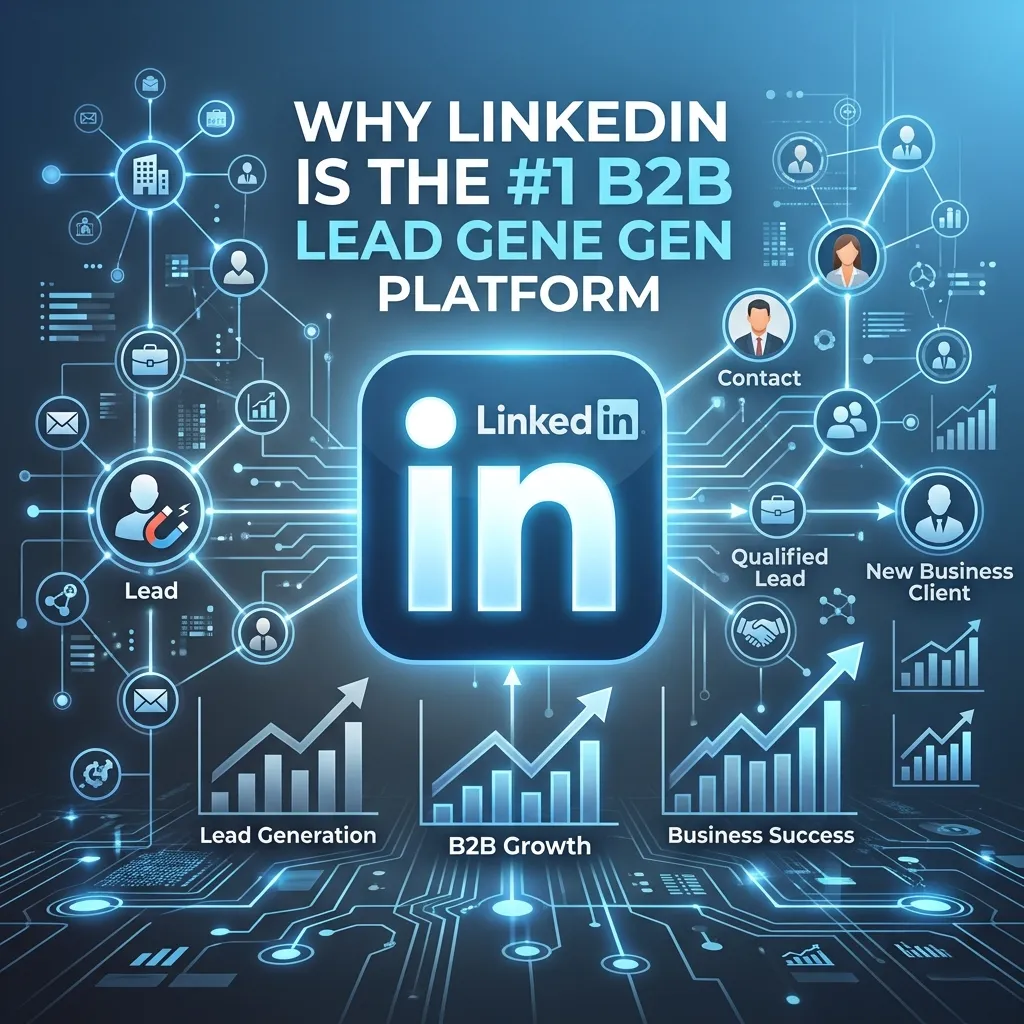
Why LinkedIn Is the Most Powerful B2B Lead Generation Platform
How to Optimize Your LinkedIn Profile to Attract Leads
Your LinkedIn profile does the heavy lifting before you ever send a message or post a piece of content. Think of it less as a resume and more as a landing page for your personal brand.
For a structured breakdown of profile-based acquisition systems, this guide on how to generate B2B leads for your business provides a strong framework.
What should your LinkedIn headline say to attract clients?
Your headline appears everywhere—search results, connection requests, comment sections. It should answer one question immediately: “What do I do, and who do I help?”
Avoid generic titles like “Sales Manager at XYZ Corp.” Instead, lead with value. For example: “Helping SaaS founders build outbound pipelines | B2B Sales Consultant.”
How to write a LinkedIn About section that generates inbound interest
The About section is where you convert visitors into leads. Structure it around three elements: the problem your target client faces, how you solve it, and a clear call to action. Keep paragraphs short and scannable. End with a direct prompt—whether that’s a calendar link, an email address, or an invitation to connect.
Other profile elements worth optimizing:
- Featured section: Showcase lead magnets, case studies, or testimonials
- Experience descriptions: Frame past roles around outcomes and results, not job duties
- Recommendations: Request them proactively—social proof accelerates trust
LinkedIn Content Strategy for Lead Generation
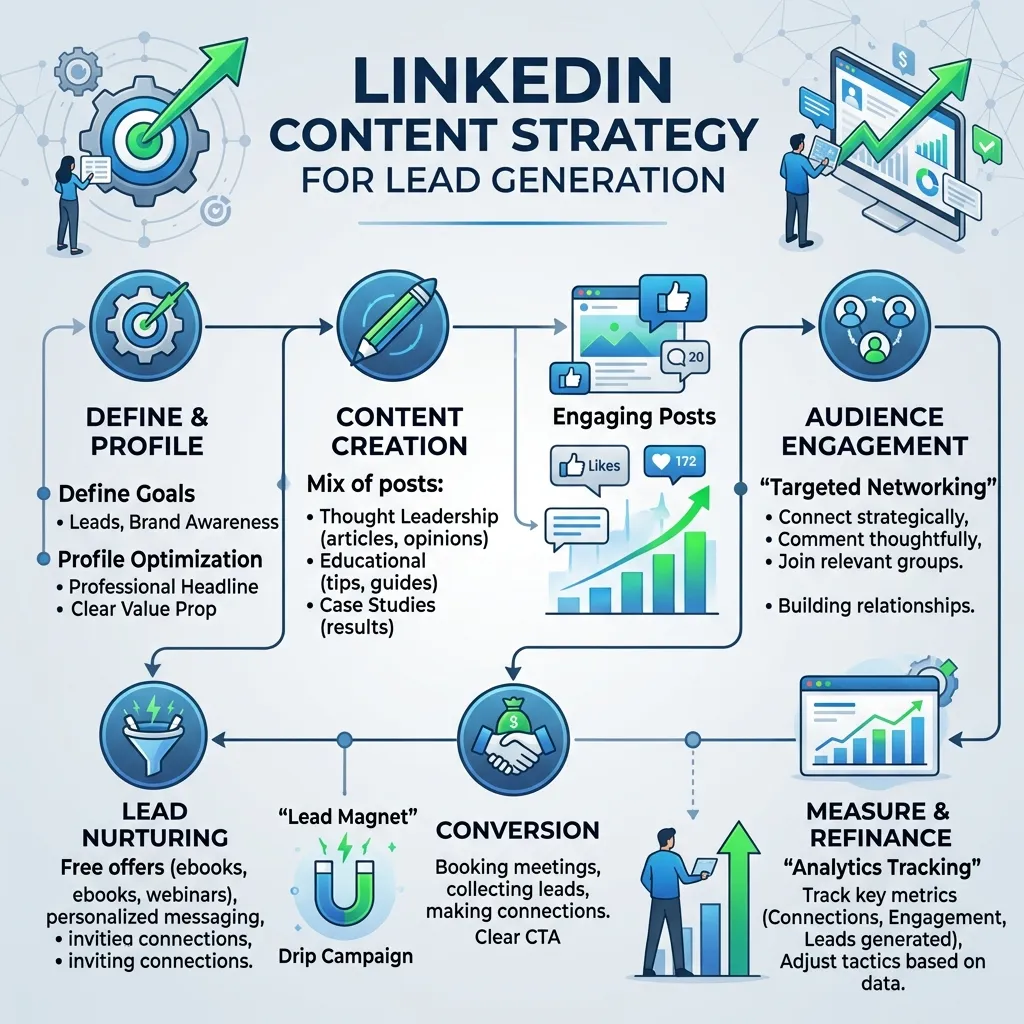
Posting consistently on LinkedIn is one of the most scalable lead generation strategies available. When you publish content that resonates, your ideal clients come to you.
If you’re expanding beyond LinkedIn, this guide on SEO lead generation for beginners shows how organic discovery systems reinforce your content strategy.
What types of LinkedIn posts generate the most leads?
The highest-performing content formats on LinkedIn tend to be:
- Insight posts: Share a counterintuitive perspective or industry observation. These spark debate and drive comments.
- Story posts: Personal stories that connect to a professional lesson perform exceptionally well because they’re relatable and hard to scroll past.
- How-to posts: Actionable, step-by-step advice positions you as a trusted expert.
- Data-driven posts: Original stats or research findings consistently earn shares.
- Carousels (document posts): LinkedIn’s algorithm favors these because they keep users on the platform longer.
How often should you post on LinkedIn for lead generation?
Three to five times per week is the sweet spot for most professionals. Consistency matters more than frequency—posting three times per week every week outperforms posting daily for one week and then disappearing for three.
A practical content calendar might look like this:
- Monday: Insight or opinion post
- Wednesday: How-to or educational post
- Friday: Story or case study post
Each post should end with a soft call to action—a question to drive comments, or an invitation to DM you for a resource. Direct sales pitches in posts rarely convert and often damage credibility.
LinkedIn Prospecting Techniques That Actually Work
How to use LinkedIn Sales Navigator for B2B lead generation
LinkedIn Sales Navigator is the platform’s premium prospecting tool, starting at approximately $99 per month. For serious B2B lead generation on LinkedIn, it’s worth the investment.
Sales Navigator lets you build highly targeted prospect lists using filters like:
- Job title and seniority
- Company headcount and growth rate
- Industry and geography
- Recent job changes or company news
The “job change” filter is particularly powerful. Professionals who have recently moved into a new role are often actively evaluating vendors and solutions—making them warm prospects from day one.
What is the best LinkedIn connection request strategy for lead generation?
The single biggest mistake in LinkedIn prospecting is sending blank connection requests. Every request should include a short, personalized note—ideally referencing something specific about the person’s work, company, or a piece of content they’ve posted.
A strong connection request:
- Is under 300 characters (LinkedIn’s limit)
- Mentions something specific to the recipient
- Does not pitch anything
- Ends with a natural reason to connect
Example: “Hi Sarah, I came across your post on demand generation strategy—really aligned with how we think about it too. Would love to connect and follow your work.”
The goal of a connection request is not to sell. The goal is to get connected. Selling comes later.
LinkedIn Outreach Best Practices
How to write LinkedIn messages that get responses
Once connected, most salespeople immediately send a pitch. Most prospects immediately ignore it. The more effective approach follows a three-message framework:
- Message 1 – Value delivery: Share something useful with no ask attached. A relevant article, a tool, or a quick observation about their industry.
- Message 2 – Soft qualification: Ask a question related to a challenge your solution addresses. Keep it conversational, not interrogative.
- Message 3 – Gentle call to action: Now, offer a specific next step—a 15-minute call, a short demo, or a resource tailored to their situation.
Spacing these messages over one to two weeks feels natural rather than pushy. Response rates improve significantly when outreach feels like a conversation rather than a cold sales script.
LinkedIn Sales Funnel Optimization
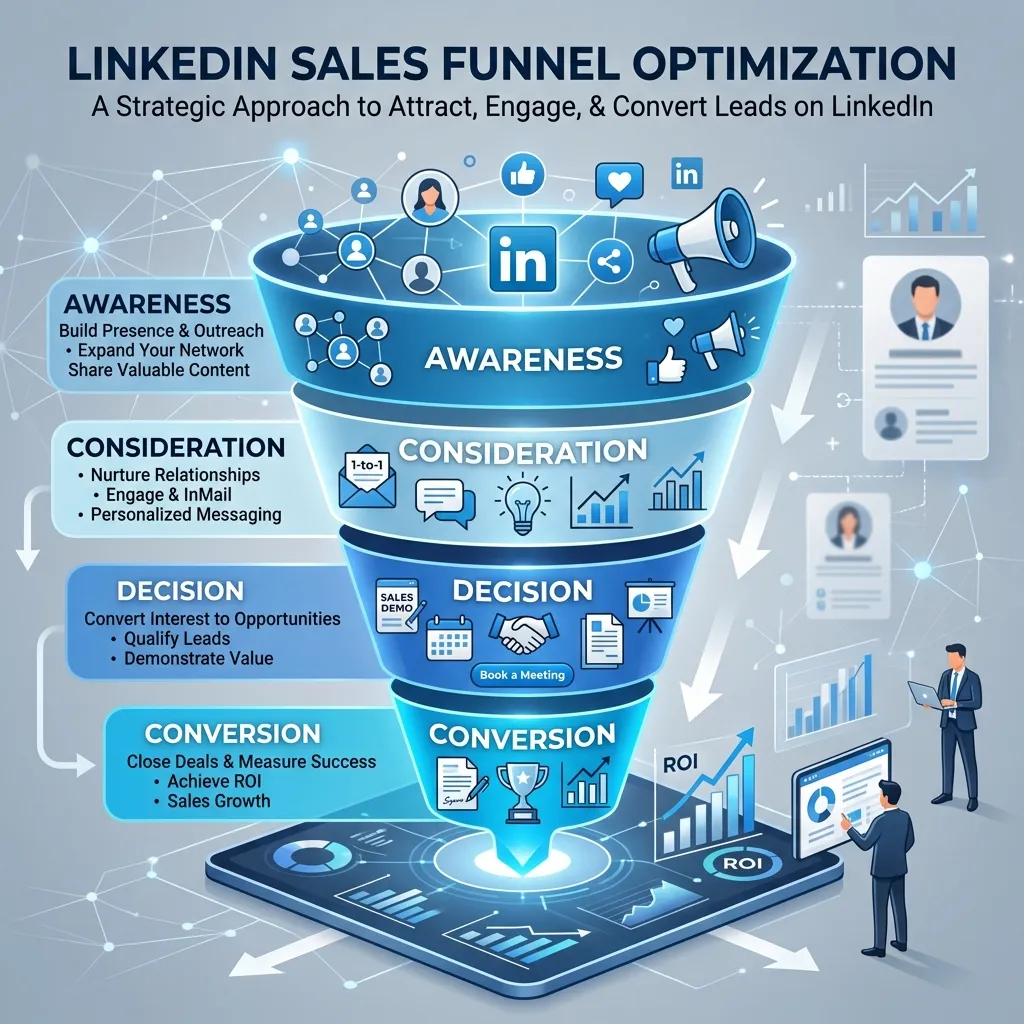
Generating LinkedIn leads is one thing. Converting them is another. A structured LinkedIn sales funnel moves prospects from awareness to action in a repeatable, scalable way.
Stage 1 – Awareness: Content strategy and profile optimization bring ideal clients into your orbit.
Stage 2 – Connection: Targeted connection requests expand your network with qualified prospects.
Stage 3 – Nurturing: Engaging with prospects’ content (liking, commenting, sharing) builds familiarity before you ever send a direct message.
Stage 4 – Outreach: Personalized direct messages open conversations with warm prospects.
Stage 5 – Conversion: A clear call to action—discovery call, demo, or proposal—moves the lead off LinkedIn and into your sales process.
The transition from Stage 3 to Stage 4 is where most people skip ahead. Engaging with a prospect’s content for a week or two before reaching out dramatically increases response rates, because you’re no longer a stranger.
LinkedIn Automation Tools for Lead Generation
Manual outreach doesn’t scale. LinkedIn automation tools can help—with some important caveats.
What are the best LinkedIn automation tools for lead generation?
Popular tools in this space include:
- Expandi: Cloud-based, highly customizable, and considered one of the safer options in terms of LinkedIn’s terms of service
- Lemlist: Combines LinkedIn outreach with email sequences for multi-channel prospecting
- Dripify: Designed for sales teams, with workflow automation and analytics dashboards
- PhantomBuster: More technical, but highly flexible for scraping and automating LinkedIn actions
What are the risks of using LinkedIn automation tools?
LinkedIn actively detects and penalizes aggressive automation. Accounts that send too many connection requests too quickly, or that show bot-like behavior patterns, risk temporary restrictions or permanent bans.
To use automation safely:
- Mimic human behavior with randomized delays between actions
- Stay well below LinkedIn’s daily limits (typically 20–25 connection requests per day)
- Personalize messages even when automating—batch personalization tokens like first name, company, and recent activity
- Avoid automating engagement (likes, comments)—these are easy to detect and damage your brand
Automation works best as a time-saving layer on top of a strong manual strategy, not as a replacement for genuine human connection.
LinkedIn Marketing for Lead Generation: Paid Options
Organic reach has limits. LinkedIn’s paid advertising tools give you a way to scale lead generation beyond your existing network.
LinkedIn Lead Gen Forms are among the most effective paid formats available. These are native forms that pre-populate with a user’s LinkedIn data—reducing friction and dramatically increasing conversion rates compared to driving traffic to an external landing page.
Sponsored Content lets you amplify your best-performing organic posts to a precisely targeted audience. If a post is already generating strong organic engagement, boosting it with a small budget often yields strong results.
LinkedIn Message Ads (formerly InMail Ads) deliver messages directly to a prospect’s LinkedIn inbox. They tend to perform best for high-value offers—free consultations, exclusive reports, or event invitations—rather than direct sales pitches.
How to Get Clients From LinkedIn: Putting It All Together
The professionals who consistently generate leads on LinkedIn share a few common habits:
- They treat their profile as a conversion asset, not a biography
- They publish consistently, providing value before asking for anything in return
- They prospect with precision, targeting the right people rather than the most people
- They personalize everything, from connection requests to follow-up messages
- They play the long game, nurturing relationships over weeks, not days
LinkedIn lead generation is not a quick-win channel. It rewards patience, consistency, and genuine value delivery. But for B2B professionals, no other platform offers the same combination of audience quality, targeting precision, and organic reach.
Start with your profile. Then pick one content format and commit to it for 30 days. From there, layer in prospecting and outreach. Each element builds on the others—and the compounding effect over time is significant.



Leave a Reply