


Interactive quizzes engage users, collect valuable insights, and boost lead generation by offering personalized, entertaining experiences. By defining goals, selecting the right platform, crafting clear questions, optimizing design, and promoting across channels, businesses can increase conversions, segment audiences effectively, and refine campaigns through analytics and A/B testing for continuous growth.
In today’s competitive digital marketplace, capturing attention and converting visitors into leads requires more than static forms and generic offers. Interactive quizzes offer a powerful way to engage your audience, gather valuable information, and nurture high-quality leads.
Why Interactive Quizzes Work for Lead Generation

Interactive quizzes are highly effective because they create personalized, engaging experiences that resonate deeply with users. Unlike static forms, which often feel tedious and impersonal, quizzes entertain while educating prospects, encouraging them to interact and remain on your page longer. By turning lead capture into an enjoyable activity, quizzes increase both engagement and completion rates.
Increased Engagement: Quizzes spark curiosity and provide instant feedback, capturing attention and encouraging users to stay on your site longer. This active participation reduces bounce rates and keeps prospects invested in your content.
Segmentation Opportunities: Each quiz response reveals valuable insights into user preferences, behaviors, and interests. This data allows you to segment your audience effectively and deliver personalized follow-up messaging that aligns with individual needs, increasing the relevance and impact of your marketing efforts.
Higher Conversion Rates: Interactive formats encourage users to complete more steps compared to traditional static forms. By guiding participants through a series of engaging questions, quizzes naturally lead users to submit their contact information, resulting in higher opt-in and lead capture rates.
Valuable Data Collection: Beyond basic contact details, quizzes provide actionable insights into user pain points, goals, and readiness to purchase. This combination of quantitative and qualitative data enables marketers to better understand their audience, refine targeting, and craft more effective campaigns that drive conversions. Learn more about Hyperlocal Lead Generation.
Types of Quizzes That Drive Engagement
Selecting the right quiz format is essential to capture attention, engage users, and achieve your marketing objectives. Each quiz type serves a specific purpose and resonates with different audiences. Here are some of the most effective formats:
- Personality Quizzes: These fun and introspective quizzes (e.g., “What Type of Entrepreneur Are You?”) help users discover more about themselves while naturally encouraging social sharing. Personality quizzes are highly engaging because they feel personal, entertaining, and relatable, often prompting users to share results with friends and colleagues, which expands your reach organically.
- Assessment Quizzes: Designed to evaluate knowledge or skills (e.g., “Is Your Website SEO-Ready?”), assessment quizzes position your brand as an authority in your field. They provide actionable insights to participants, helping them understand their strengths and weaknesses. These quizzes also allow brands to capture qualified leads by offering tailored recommendations based on results.
- Polls & Surveys: Quick and simple, polls and surveys are ideal for gathering feedback, opinions, or market research insights. By keeping questions concise, you encourage more responses while learning valuable information about your audience’s preferences, behaviors, and needs. These formats are especially useful for real-time engagement on social media.
- Graded Quizzes: Timed or scored quizzes that test knowledge on a particular topic are perfect for educational content, training, or certification purposes. Participants often receive certificates, badges, or other rewards for completion. Graded quizzes not only increase engagement but also provide measurable outcomes that can demonstrate participant progress and understanding.
Step 1: Define Your Goals and Audience
Before building your first interactive quiz, it’s crucial to clearly define what you aim to achieve. Ask yourself: Are you trying to nurture cold traffic, segment your email list, qualify leads, or upsell existing customers? Your goals will determine the quiz format, questions, and the type of incentives you offer.
Once your objectives are clear, map them to key performance indicators (KPIs) such as completion rate, opt-in rate, lead quality score, or even downstream metrics like conversions and revenue generated. KPIs provide measurable benchmarks, helping you evaluate success and make data-driven adjustments to improve future campaigns.
The next step is understanding your target audience. Develop detailed audience personas that include demographics, interests, behaviors, pain points, and preferred communication channels. For instance, younger audiences might respond better to personality quizzes on social media, while B2B prospects may engage more with assessment-style quizzes delivered via email campaigns.
Knowing exactly who you’re targeting ensures that every aspect of your quiz—from question phrasing to design elements and incentives—resonates with users. A well-defined audience helps you craft content that feels personalized, increases engagement, and ultimately drives higher conversions.
By combining clear goals with an in-depth understanding of your audience, your quiz will not only capture leads but also provide actionable insights that inform broader marketing strategies.
Step 2: Choose the Right Quiz Platform and Tools
An intuitive, feature-rich quiz builder makes all the difference in execution speed, user experience, and overall result quality. The right platform allows you to focus on creating engaging content rather than struggling with technical limitations. When evaluating quiz tools, consider the following key features:
-
Customizable Templates: Pre-built quiz designs help you quickly launch your project without starting from scratch. Look for templates suited to various quiz types—personality, assessment, polls, or graded quizzes—and ensure they are easily adaptable to your brand’s colors, fonts, and style.
-
Lead Capture Integration: Seamless integration with your CRM or email marketing software is crucial to automatically capture and segment leads. Check for native integrations or webhook support for tools like HubSpot, Mailchimp, Salesforce, or Zoho to streamline follow-up workflows.
-
Advanced Logic: Branching questions that adapt based on user responses create a personalized journey, increasing engagement and completion rates. Ensure your platform supports skip logic, conditional paths, and dynamic result recommendations to make each quiz experience feel tailored.
-
Analytics Dashboard: Real-time tracking of completion rates, drop-off points, and result distribution provides actionable insights. Robust analytics help identify weak points, optimize quiz flow, and measure ROI effectively.
-
Additional Features to Consider: Some platforms offer gamification elements, interactive visuals, social sharing buttons, and mobile responsiveness—all of which can boost engagement and lead capture.
Popular quiz tools include Outgrow, Interact, Qzzr, and Typeform. Before committing, evaluate pricing, ease of use, support options, and integration capabilities. Choosing the right platform ensures your quizzes are both engaging for users and efficient for your marketing team.
Step 3: Craft Compelling Questions
The heart of any quiz lies in its questions. Well-designed questions engage users, provide meaningful insights, and guide them toward completing the quiz. Aim for clarity, brevity, and relevance, and keep the total question count between 5 to 10 to prevent fatigue while ensuring each question aligns with your quiz objectives.
Tips for designing effective quiz questions:
-
Use Conversational Language: Write in a friendly, approachable tone that feels natural. Avoid jargon or overly formal phrasing. Questions should feel like a dialogue rather than a test, helping users stay relaxed and engaged.
-
Offer Balanced Choices: Provide 3–5 answer options per question that cover a range of outcomes or personality types. Avoid answers that overlap too much or seem biased toward a particular choice. Balanced options ensure meaningful segmentation and accurate results.
-
Incorporate Visuals: Whenever possible, use images, icons, or short videos alongside answer options. Visual cues not only enhance comprehension but also increase engagement, especially for mobile users who may skim text-heavy content.
-
Test for Bias: Ensure questions are neutral and don’t steer users toward a specific answer. Biased phrasing can distort results and reduce trust in your quiz.
-
Focus on Actionable Insights: Each question should reveal information that can inform your marketing strategy, segmentation, or follow-up messaging. Ask about preferences, behaviors, challenges, or goals that help you understand your audience better.
-
Mix Question Types: Use a combination of multiple-choice, ranking, and true/false questions to maintain variety and make the quiz more interactive. This keeps users engaged and reduces monotony.
-
Preview and Test: Run your quiz with a small sample audience before launch. Gather feedback on question clarity, perceived difficulty, and engagement. Adjust based on insights to optimize completion rates and result accuracy.
By crafting thoughtful, engaging, and unbiased questions, you create a quiz that not only entertains users but also generates valuable data for lead segmentation, personalization, and conversion optimization.
Step 4: Design Eye-Catching Quiz Layout
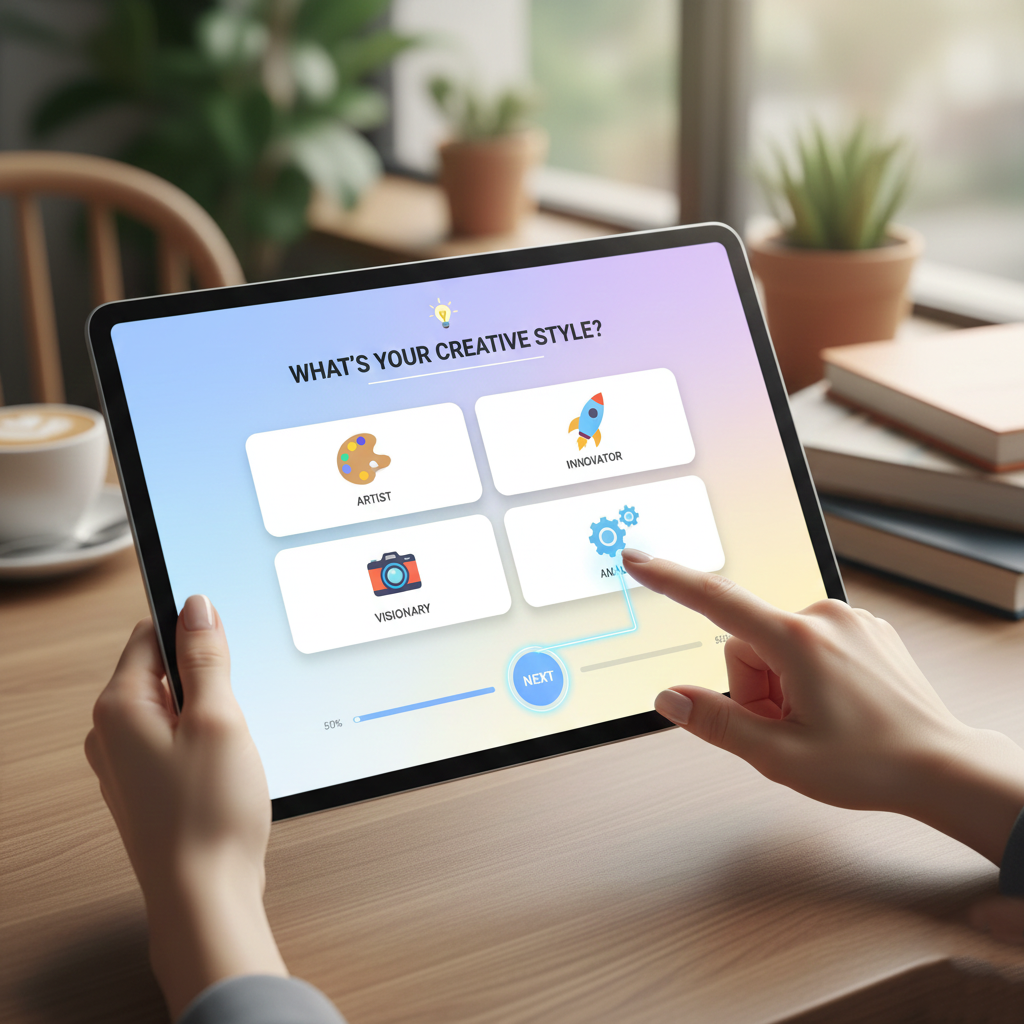
A visually appealing quiz can significantly increase completion rates by making the experience intuitive, engaging, and easy to follow. Thoughtful layout design reduces friction and keeps users focused on answering questions.
Design Best Practices:
-
Mobile-First Approach:
Most users access quizzes on smartphones or tablets. Ensure responsive design that adapts seamlessly to all screen sizes. Make buttons and answer options large enough for easy tapping and test your quiz on multiple devices to avoid layout issues or cut-off text. -
Consistent Branding:
Use your brand’s color palette, fonts, and logo to reinforce recognition and trust. A visually cohesive design helps users immediately associate the quiz with your brand identity. -
Progress Indicators:
Show users how many questions remain with a progress bar or numbered steps. This reduces anxiety about time commitment and motivates users to complete the quiz. -
Whitespace & Readability:
Avoid clutter by spacing out questions and answers. Use clear headings, legible fonts, and sufficient padding around elements to make scanning easy and improve focus. -
Visual Enhancements:
Incorporate images, icons, or illustrations that complement questions. Visual cues can make quizzes more engaging, clarify answer choices, and provide a more interactive experience. -
Interactive Elements:
Consider subtle animations or hover effects for buttons and answer selections. These small interactive touches can make the quiz feel dynamic without overwhelming users. -
Clear Call-to-Action (CTA):
Place a prominent CTA at the end of the quiz to guide users toward the next step, whether it’s downloading a resource, subscribing to your newsletter, or receiving personalized results.
By combining these design strategies, your quiz will not only look appealing but also encourage users to complete it, increasing lead capture and engagement.
Step 5: Implement Effective Lead Capture Forms
The transition from quiz taker to lead is one of the most critical moments in your funnel. A well-designed opt-in form can significantly boost conversions while collecting essential information for future marketing efforts. Consider the following strategies:
-
Minimal Fields: Ask only for the most essential information, such as name and email, to reduce friction. You can gather additional details later through follow-up forms, surveys, or progressive profiling.
-
Incentivize Sign-Ups: Give users a compelling reason to submit their information. Options include personalized quiz results, downloadable resources like eBooks or checklists, entry into a giveaway, or access to exclusive content. Clearly communicate the benefit upfront to increase opt-ins.
-
Clear Privacy Policy: Build trust by reassuring users that their data is safe. Link to your privacy policy or compliance statements directly within the form. Include simple language explaining how their information will be used and emphasizing that you won’t share it with third parties.
-
Smart Defaults: Streamline the process by pre-selecting opt-in checkboxes where legally allowed, or offering social login options for faster sign-up. Reducing friction increases the likelihood that users complete the form.
-
Visual Appeal and Placement: Make your form visually consistent with the quiz layout and overall branding. Use clear call-to-action (CTA) buttons with contrasting colors, concise text, and sufficient whitespace. Position forms strategically—at the end of the quiz, as a pop-up, or inline with results—to maximize visibility and conversions.
-
Mobile Optimization: Ensure the form is fully responsive. Most users access quizzes on mobile devices, so fields, buttons, and text must be easy to read and interact with on smaller screens.
-
A/B Testing: Experiment with different form layouts, CTA wording, incentives, and field placement to determine what drives the highest conversion rates. Continuously iterate based on real-world performance data.
By combining simplicity, clarity, and compelling incentives, your lead capture forms can convert quiz participants into high-quality leads while maintaining a smooth and engaging user experience.
Step 6: Promote Your Quiz Across Multiple Channels
Creating a quiz is only half the battle; driving targeted traffic is what ensures engagement and meaningful lead capture. A multi-channel promotion strategy maximizes reach, improves completion rates, and brings qualified leads into your funnel. Consider the following approaches:
-
Social Media Posts: Share your quiz on platforms like Facebook, LinkedIn, Instagram, and Twitter. Craft engaging captions and visuals that highlight the quiz’s value. Use platform-specific features like Instagram Stories, LinkedIn polls, or Facebook carousel posts to encourage interaction. Encourage participants to share their results to boost organic reach.
-
Email Marketing: Send segmented email blasts to subscribers who would find your quiz most relevant. Personalize subject lines to grab attention, and emphasize the benefit or outcome of taking the quiz. Follow up with results emails that include additional resources or CTAs to move users further down the funnel.
-
On-Site CTAs: Embed quiz teasers in high-traffic areas of your website, such as blog posts, sidebars, or exit-intent pop-ups. Position the quiz as an interactive tool to solve a problem or provide insights, prompting visitors to engage rather than passively browse.
-
Paid Advertising: Amplify reach with targeted ads on platforms like Facebook, Instagram, Google Display Network, or LinkedIn. Use clear, compelling visuals and copy that highlight the quiz’s value. Leverage audience targeting features to reach the right demographics, interests, and behaviors, ensuring higher-quality leads.
By combining organic and paid promotion across multiple channels, you create multiple touchpoints for your audience, increasing the likelihood of quiz completion and lead capture. Regularly monitor performance metrics for each channel and optimize campaigns to maximize ROI.
Step 7: Analyze Results and Optimize

Data-driven refinement ensures your quizzes continuously improve and deliver maximum value. Carefully monitoring performance allows you to identify trends, address weaknesses, and optimize both the user experience and lead generation outcomes. Track the following metrics using your quiz platform and analytics tools:
-
Completion Rate: Measure the percentage of users who finish the quiz compared to those who start it. A low completion rate may indicate quiz length, confusing questions, or engagement issues that need adjustment.
-
Opt-In Rate: Track how many quiz completers provide their contact information. This metric highlights the effectiveness of your opt-in form design, incentives, and messaging.
-
Drop-Off Points: Identify specific questions, pages, or quiz sections where users abandon the experience. Pinpointing these points helps you refine question clarity, reduce friction, or improve visual and interactive elements.
-
Lead Quality: Assess how many quiz-generated leads convert into qualified sales opportunities. High-quality leads indicate that your quiz accurately targets and attracts the right audience.
To enhance results, implement A/B testing on key elements such as question wording, button copy, imagery, layouts, or form field placements. Compare performance across variants to determine which changes improve engagement and conversions.
Regularly iterate based on collected insights. Update questions, adjust visuals, and refine quiz logic to align with evolving audience preferences. By continually analyzing and optimizing, you create a more compelling, effective, and high-performing quiz experience that maximizes lead generation over time.
Conclusion
Interactive quizzes are a dynamic, user-centric method to generate and nurture leads at scale. They go beyond traditional lead forms by providing personalized, engaging experiences that resonate with your audience and encourage active participation. By defining clear goals, choosing the right tools, crafting engaging questions, and analyzing performance data, you can build quizzes that not only capture attention but also provide actionable insights into user behavior, preferences, and pain points. These insights allow for more precise segmentation and tailored follow-up strategies, ensuring your marketing efforts are highly relevant and effective. Start planning your first quiz today, follow this step-by-step framework, and watch your lead pipeline flourish as you continuously refine and optimize your quizzes to maximize engagement, conversions, and long-term customer relationships.
FAQ: Interactive Quizzes for Lead Generation
1. How long should my quiz be?
Aim for 5–10 questions to maintain user interest while gathering meaningful data.
2. Can I integrate quizzes with my CRM?
Yes. Platforms like Outgrow, Interact, Typeform, and Qzzr support CRM integration and webhooks for automated lead capture.
3. What incentives encourage participation?
Personalized results, downloadable resources, discount codes, or giveaways motivate users to complete the quiz and submit contact information.
4. How often should I update my quiz?
Refresh content every 3–6 months to stay relevant, reflect new branding, and ensure questions align with evolving audience needs.
5. How do I measure quiz success?
Track completion rates, opt-in rates, drop-off points, and lead quality. Use A/B testing to refine questions, layouts, and promotions for higher engagement.


Leave a Reply