

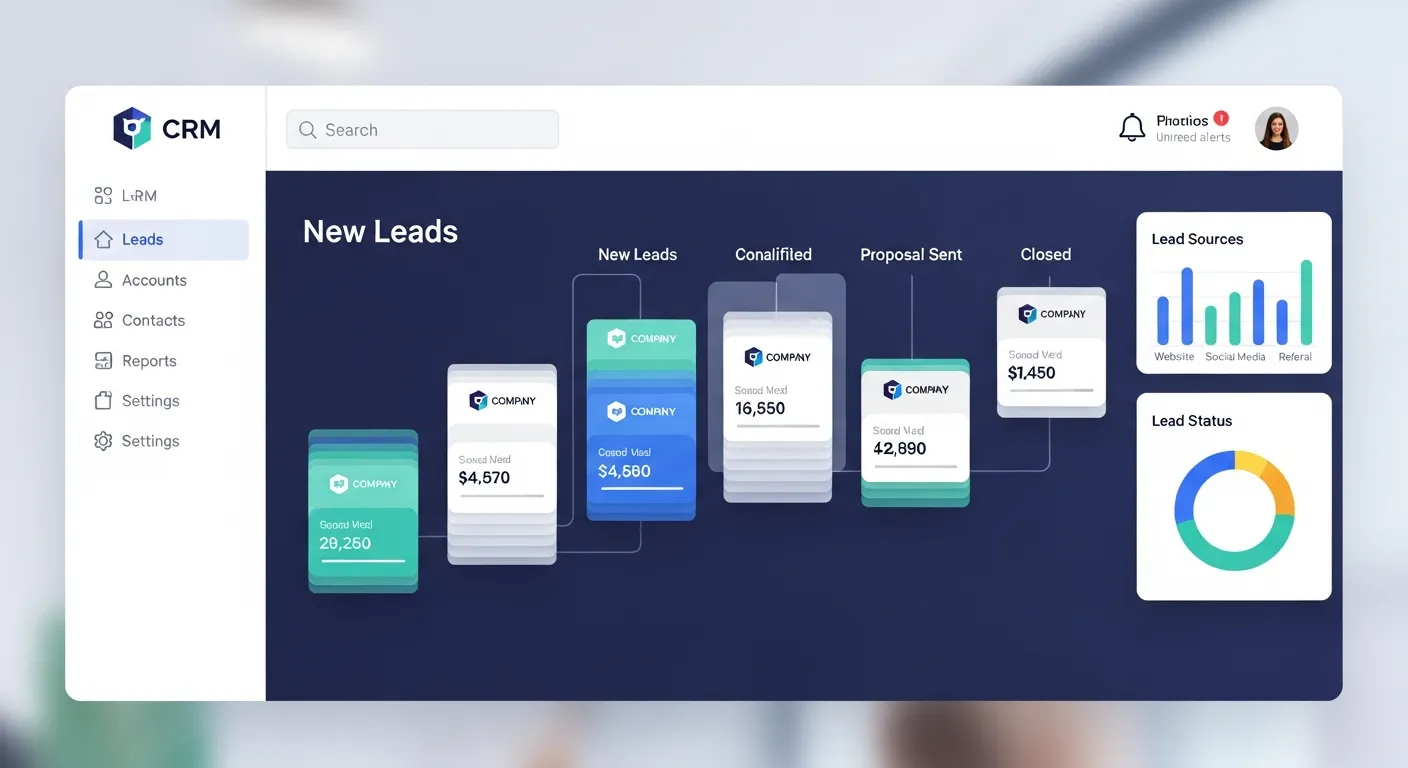
CRM systems streamline lead management, automate follow-ups, and provide AI-powered insights. NFT projects benefit by tracking collectors, segmenting high-potential leads, and improving engagement, ultimately boosting conversions, campaign efficiency, and community growth.
Acquiring leads is one thing, but managing them effectively is a whole other challenge. If your team struggles to keep track of where leads are in the pipeline, follow up consistently, or focus on high-potential opportunities, you’re not alone. This is where a Customer Relationship Management (CRM) system designed for lead management proves invaluable.
What is Lead Management and Why Does It Matter?
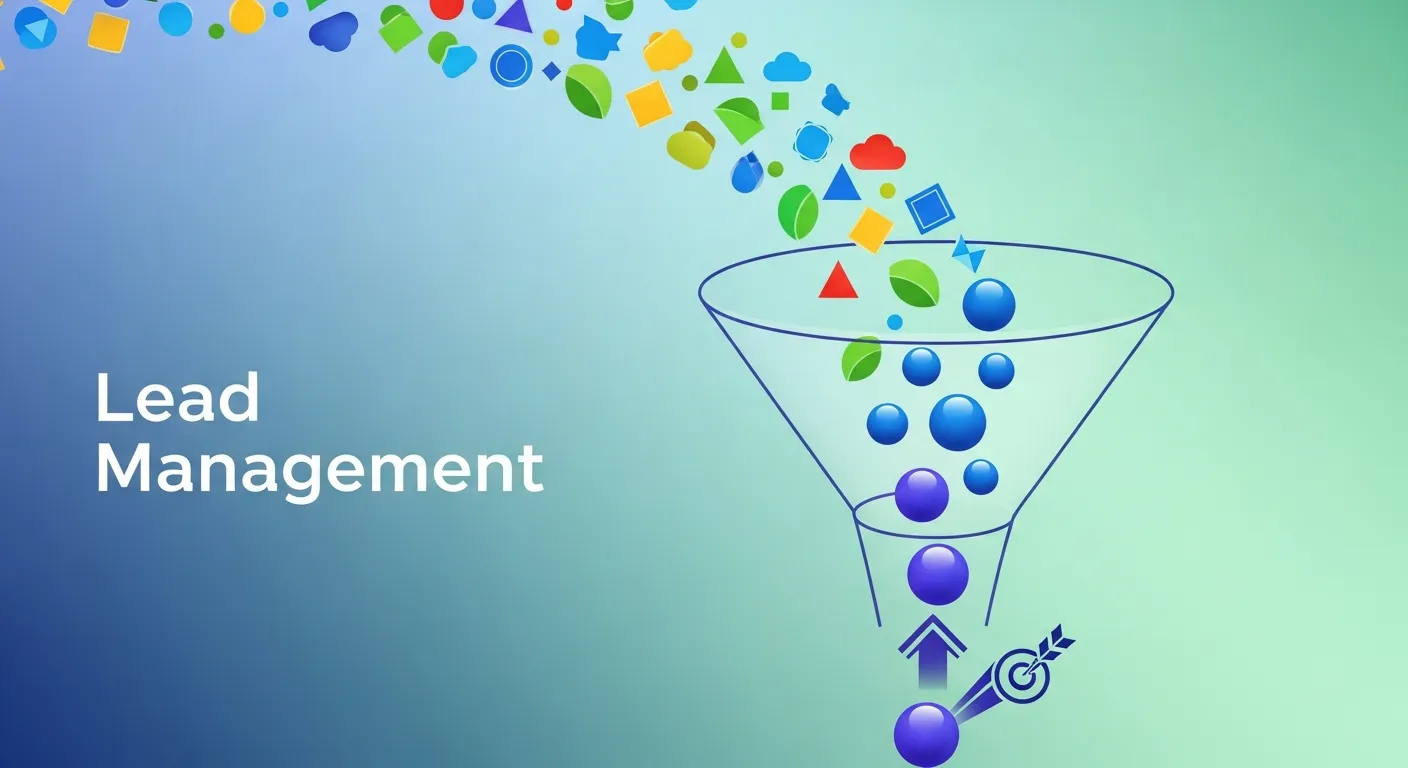
Lead management is the systematic process of capturing, tracking, and nurturing potential customers as they progress along the sales funnel. Done right, it ensures no valuable leads slip through the cracks while helping your team focus on the most promising opportunities.
Without an effective lead management system, teams often juggle spreadsheets, emails, and post-it notes, leading to disorganization, missed opportunities, and lost revenue. This is where CRM comes in, offering an all-in-one solution to manage every lead efficiently.
How CRM Simplifies Lead Management
A good CRM doesn’t just store your contacts. It empowers your team to manage leads strategically, track progress seamlessly, and close deals faster. Here’s how it works:
1. Centralized Lead Database
With CRM, all your lead information is stored in one place. From contact details to previous interactions, your team has everything they need at their fingertips. No more digging through emails or scrambling for meeting notes.
Example: Picture this—one of your top leads calls to discuss your product, but they spoke to a different team member last week. With a CRM, your team immediately accesses previous touchpoints and picks up where the conversation left off.
2. Automated Lead Capture
CRMs can automatically capture leads from your website, social media, or email campaigns and add them to your database. Automation reduces manual entry errors and gives sales teams more time to focus on meaningful interactions.
3. Lead Scoring
Not all leads are created equal. CRMs provide lead scoring tools, assigning quality scores based on their behaviour, demographic data, or engagement level. This helps sales teams prioritize leads with higher conversion potential.
Example: A lead who has downloaded an eBook, signed up for your newsletter, and visited your pricing page likely has a higher score than someone who’s only browsed your website briefly.
4. Pipeline Visibility
CRMs visualize your sales pipeline, showing the stage each lead is at and highlighting bottlenecks. You get clarity on what’s working and where improvements are needed.
5. Automated Follow-Ups
Consistency is key in lead nurturing, but manual follow-ups are time-consuming. CRMs allow you to schedule automated follow-up emails or reminders so no lead falls through the cracks.
6. Actionable Analytics
CRMs offer data-backed insights into your lead management process. From conversion rates to average lead response times, you can better understand what’s working and how to improve.
Benefits of Using a CRM for Lead Management
CRM software offers several advantages, making it an indispensable tool for modern businesses:
1. Improved Team Collaboration
When all lead data is centralized in the CRM, multiple team members can collaborate effortlessly. This is especially useful for larger sales teams or businesses with extended sales cycles requiring multiple touchpoints.
2. Boosted Sales Effectiveness
By prioritizing high-quality leads, providing actionable insights, and automating repetitive tasks, a CRM helps sales reps spend their time more effectively and close deals faster.
3. Enhanced Customer Experience
Leads expect personalized follow-ups tailored to their needs. CRMs make it easier to deliver these experiences by tracking detailed lead profiles and past interactions.
4. Scalability
For growing businesses, manual lead management quickly becomes unsustainable. A CRM scales seamlessly with your team, enabling robust management even as your lead volume grows.
Choosing the Right CRM for Lead Management

If you’re considering investing in a CRM, here are some factors to keep in mind:
1. Ease of Use
A complicated CRM leads to low adoption rates. Opt for tools with intuitive interfaces and minimal learning curves.
2. Customizable Features
Every business has unique needs. Look for a CRM that allows you to tailor features, pipelines, and workflows to your specific processes.
3. Integration Capabilities
The best CRMs integrate with tools you already use (e.g., email clients, marketing automation platforms, and eCommerce solutions).
4. Scalability
Choose a CRM that grows with your business, offering more advanced features or higher user capacity as your needs change.
Pro Tip: Test before you commit. Most CRM providers offer free trials or demos, giving you a chance to explore functionality before making a purchase.
Best Practices for Using a CRM to Manage Leads
To maximize the impact of your CRM, follow these practices:
1. Define Your Lead Stages
Outline the key stages of your sales funnel, from initial contact to conversion. Customize your CRM pipeline to reflect these stages for better tracking.
2. Train Your Team
Even the best CRM is ineffective if your team doesn’t know how to use it. Invest time in training to ensure your team is comfortable with the platform.
3. Align Sales and Marketing
Sales and marketing must work hand-in-hand for effective lead management. Use your CRM to share data, coordinate campaigns, and stay aligned.
4. Leverage Automation
Use automation to save time and improve efficiency. For instance, set email sequences for nurturing cold leads or reminders for sales reps to follow up.
5. Regularly Clean Your Database
Over time, lead data can become outdated. Schedule periodic clean-ups to remove inactive leads and ensure your database is accurate.
CRM Trends to Watch in Lead Management
The CRM landscape continues to evolve with advancements in technology. Here are some trends to keep an eye on:
- AI-Powered Insights
Businesses are increasingly using AI within CRMs to analyze lead behavior and suggest next-best actions.
- Mobile CRMs
With mobile-first platforms, sales teams can access their CRM on the go, ensuring productivity isn’t tied to a desk.
- Integration with Marketing Automation
Deeper integrations between CRMs and marketing automation tools are breaking down the barriers between sales and marketing.
Acquiring leads is one thing, but managing them effectively is a whole other challenge. If your team struggles to keep track of where leads are in the pipeline, follow up consistently, or focus on high-potential opportunities, you’re not alone. This is where a Customer Relationship Management (CRM) system designed for lead management proves invaluable.
This blog will walk you through how a CRM helps streamline lead management, its key benefits, and practical steps to get the most out of it. By the end, you’ll understand how CRM can supercharge your sales process and boost conversion rates.
What is Lead Management and Why Does It Matter?
Lead management is the systematic process of capturing, tracking, and nurturing potential customers as they progress along the sales funnel. Done right, it ensures no valuable leads slip through the cracks while helping your team focus on the most promising opportunities.
Without an effective lead management system, teams often juggle spreadsheets, emails, and post-it notes, leading to disorganization, missed opportunities, and lost revenue. This is where CRM comes in, offering an all-in-one solution to manage every lead efficiently.
How CRM Simplifies Lead Management
A good CRM doesn’t just store your contacts. It empowers your team to manage leads strategically, track progress seamlessly, and close deals faster. Here’s how it works:
1. Centralized Lead Database
With CRM, all your lead information is stored in one place. From contact details to previous interactions, your team has everything they need at their fingertips. No more digging through emails or scrambling for meeting notes.
Example: Picture this—one of your top leads calls to discuss your product, but they spoke to a different team member last week. With a CRM, your team immediately accesses previous touchpoints and picks up where the conversation left off.
2. Automated Lead Capture
CRMs can automatically capture leads from your website, social media, or email campaigns and add them to your database. Automation reduces manual entry errors and gives sales teams more time to focus on meaningful interactions.
3. Lead Scoring
Not all leads are created equal. CRMs provide lead scoring tools, assigning quality scores based on their behavior, demographic data, or engagement level. This helps sales teams prioritize leads with higher conversion potential.
Example: A lead who has downloaded an eBook, signed up for your newsletter, and visited your pricing page likely has a higher score than someone who’s only browsed your website briefly.
4. Pipeline Visibility
CRMs visualize your sales pipeline, showing the stage each lead is at and highlighting bottlenecks. You get clarity on what’s working and where improvements are needed.
5. Automated Follow-Ups
Consistency is key in lead nurturing, but manual follow-ups are time-consuming. CRMs allow you to schedule automated follow-up emails or reminders so no lead falls through the cracks.
6. Actionable Analytics
CRMs offer data-backed insights into your lead management process. From conversion rates to average lead response times, you can better understand what’s working and how to improve.
Benefits of Using a CRM for Lead Management
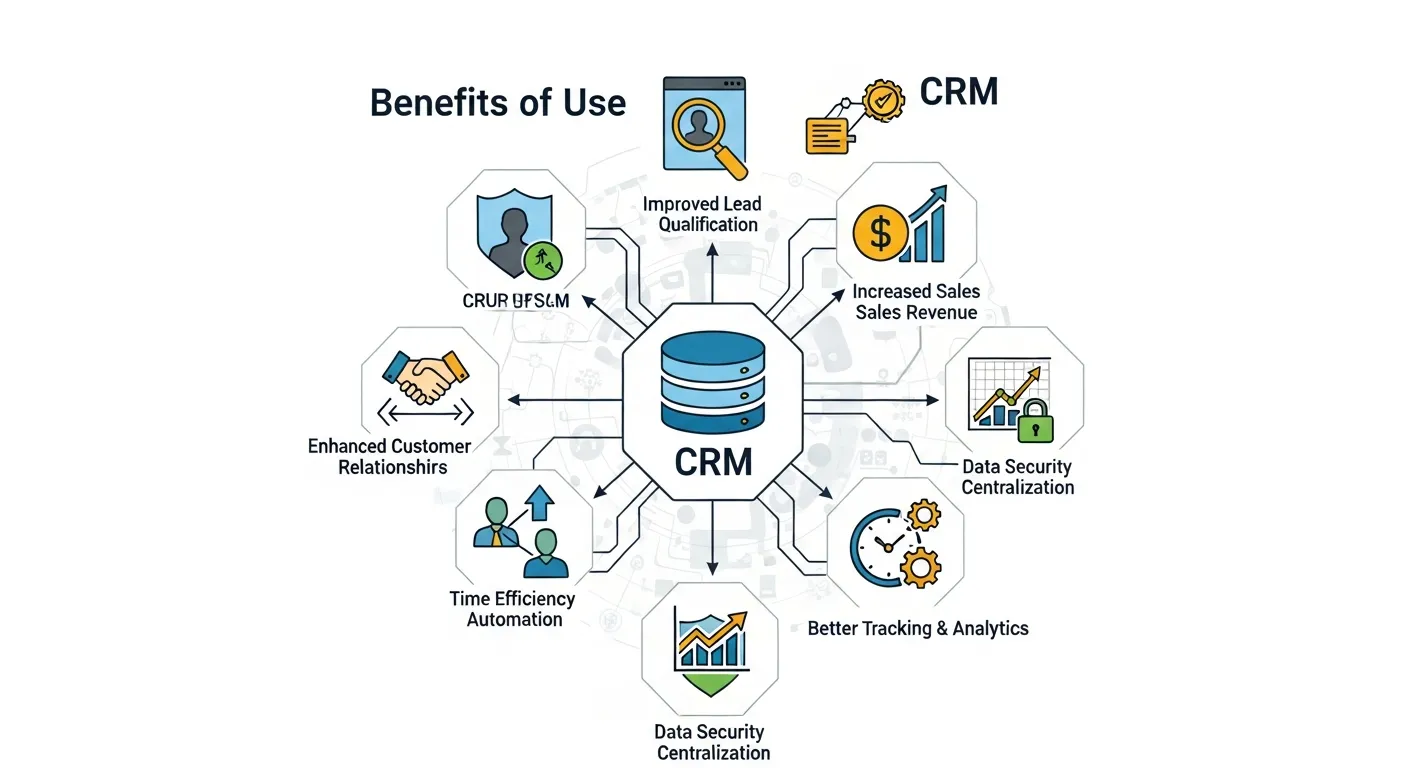
CRM software offers several advantages, making it an indispensable tool for modern businesses:
1. Improved Team Collaboration
When all lead data is centralized in the CRM, multiple team members can collaborate effortlessly. This is especially useful for larger sales teams or businesses with extended sales cycles requiring multiple touchpoints.
2. Boosted Sales Effectiveness
By prioritizing high-quality leads, providing actionable insights, and automating repetitive tasks, a CRM helps sales reps spend their time more effectively and close deals faster.
3. Enhanced Customer Experience
Leads expect personalized follow-ups tailored to their needs. CRMs make it easier to deliver these experiences by tracking detailed lead profiles and past interactions.
4. Scalability
For growing businesses, manual lead management quickly becomes unsustainable. A CRM scales seamlessly with your team, enabling robust management even as your lead volume grows.
Choosing the Right CRM for Lead Management
If you’re considering investing in a CRM, here are some factors to keep in mind:
1. Ease of Use
A complicated CRM leads to low adoption rates. Opt for tools with intuitive interfaces and minimal learning curves.
2. Customizable Features
Every business has unique needs. Look for a CRM that allows you to tailor features, pipelines, and workflows to your specific processes.
3. Integration Capabilities
The best CRMs integrate with tools you already use (e.g., email clients, marketing automation platforms, and eCommerce solutions).
4. Scalability
Choose a CRM that grows with your business, offering more advanced features or higher user capacity as your needs change.
Pro Tip: Test before you commit. Most CRM providers offer free trials or demos, giving you a chance to explore functionality before making a purchase.
Best Practices for Using a CRM to Manage Leads
To maximize the impact of your CRM, follow these practices:
1. Define Your Lead Stages
Outline the key stages of your sales funnel, from initial contact to conversion. Customize your CRM pipeline to reflect these stages for better tracking.
2. Train Your Team
Even the best CRM is ineffective if your team doesn’t know how to use it. Invest time in training to ensure your team is comfortable with the platform.
3. Align Sales and Marketing
Sales and marketing must work hand-in-hand for effective lead management. Use your CRM to share data, coordinate campaigns, and stay aligned.
4. Leverage Automation
Use automation to save time and improve efficiency. For instance, set email sequences for nurturing cold leads or reminders for sales reps to follow up.
5. Regularly Clean Your Database
Over time, lead data can become outdated. Schedule periodic clean-ups to remove inactive leads and ensure your database is accurate.
CRM Trends to Watch in Lead Management
The CRM landscape continues to evolve with advancements in technology. Here are some trends to keep an eye on:
-
AI-Powered Insights
Businesses are increasingly using AI within CRMs to analyze lead behaviour and suggest next-best actions.
-
Mobile CRMs
With mobile-first platforms, sales teams can access their CRM on the go, ensuring productivity isn’t tied to a desk.
-
Integration with Marketing Automation
Deeper integrations between CRMs and marketing automation tools are breaking down the barriers between sales and marketing.
AI-Powered Lead Scoring for NFT Marketing
AI-powered lead scoring is transforming how NFT projects identify high-potential collectors. By analyzing engagement behaviors—such as wallet activity, NFT minting, social interactions, and newsletter clicks—AI can assign scores to leads based on their likelihood to participate in upcoming drops or campaigns. This enables NFT marketing to prioritize communications, send personalized offers, and nurture relationships with the most engaged community members. With the NFT space being highly competitive, AI-driven lead scoring ensures marketing efforts are data-driven, reduces wasted outreach, and maximizes conversion. Integrating this with a CRM allows NFT projects to track leads from initial interest to purchase while maintaining engagement across Discord, Twitter, and other crypto-community platforms.
Transform Your Lead Management with CRM Today

A solid CRM platform is your secret weapon for better lead management, offering tools to organize, analyze, and convert leads with precision. The result? Happier teams, more confident decision-making, and increased revenue.
Don’t just take our word for it. Test-drive a CRM platform today to see how it can revolutionize your lead management process. The sooner you start, the sooner you’ll reap the rewards of a streamlined and efficient sales funnel.
Conclusion
A CRM is no longer optional—it’s essential for businesses and NFT projects looking to manage leads efficiently. By centralizing data, automating follow-ups, and integrating AI insights, CRMs streamline pipelines, nurture high-potential leads, and increase conversion rates. Modern NFT campaigns benefit from CRM-driven segmentation, predictive analytics, and automated community engagement, ensuring each collector receives tailored messaging. Implementing best practices such as team training, clean databases, and AI-powered scoring makes CRMs a long-term investment for scalable growth. Whether you’re selling B2B services or NFTs, CRM solutions help turn prospects into loyal customers while providing measurable insights into campaign performance.
12 Frequently Asked Questions (FAQ) – Extended Version
1. What is CRM for lead management?
A CRM (Customer Relationship Management) system for lead management is a tool designed to capture, track, and nurture potential customers throughout the sales funnel. It centralizes all lead data, records interactions, automates follow-ups, and provides analytics to optimize conversions. Businesses can track lead behavior, identify high-priority prospects, and manage pipelines efficiently, reducing missed opportunities and improving team coordination.
2. Can a CRM help NFT marketing campaigns?
Yes. NFT projects can use CRM to track collector activity, segment audiences based on engagement, and monitor minting behavior. CRMs help send personalized updates, manage whitelist registrations, and automate notifications for upcoming drops. By analyzing engagement patterns, NFT marketers can prioritize high-value collectors, maintain community engagement, and maximize conversion rates during limited-edition releases.
3. How does lead scoring work in CRM?
Lead scoring assigns numerical values to leads based on their behavior, demographics, and engagement levels. In practice, a lead who visits pricing pages, downloads resources, or engages on social media receives higher scores. For NFT projects, metrics like wallet activity, mint participation, and Discord interactions can define scoring. This enables sales and marketing teams to prioritize high-potential leads, optimize outreach, and increase conversion efficiency.
4. Do small businesses need CRM?
Absolutely. Even small teams benefit from a CRM because it organizes contacts, tracks interactions, and provides visibility into the sales pipeline. By automating repetitive tasks like follow-ups and reminders, small businesses can save time, reduce errors, and focus on converting prospects into loyal customers, ensuring scalability as the business grows.
5. What types of CRM exist?
CRMs come in several forms:
-
Cloud-Based CRM – Accessible anywhere, ideal for remote teams.
-
AI-Powered CRM – Uses machine learning to score leads, forecast sales, and suggest next-best actions.
-
Industry-Specific CRM – Tailored features for industries like eCommerce, SaaS, or NFTs.
-
On-Premise CRM – Installed locally, suitable for companies requiring full control over data.
6. Can CRM automate follow-ups?
Yes. CRMs automate email sequences, reminders, notifications, and even text messages. Automation ensures timely responses, consistent communication, and increased engagement without manual effort. For NFT campaigns, automation can notify collectors of presales, upcoming drops, and exclusive offers, maintaining excitement and trust across your community.
7. Does CRM improve sales team collaboration?
Yes. CRM centralizes lead information, updates in real-time, and provides shared visibility across team members. This reduces duplication of effort, keeps everyone informed of lead progress, and enables seamless handoffs between sales, marketing, and support teams. Collaboration improves pipeline efficiency and ensures consistent communication with prospects.
8. How can CRM enhance NFT project launches?
A CRM can segment collectors based on behavior, engagement, and past participation. Teams can personalize messages, manage whitelist approvals, schedule drop reminders, and track wallet activity. This ensures high-potential collectors receive timely and relevant communications, boosting mint participation rates and creating a strong, engaged community for long-term success.
9. Are mobile CRMs effective?
Yes. Mobile CRMs let sales and marketing teams access lead information, update statuses, and respond to inquiries from anywhere. This flexibility is crucial for NFT marketers managing global communities and fast-moving campaigns. Mobile access improves response time, maintains engagement, and ensures no leads are ignored, even while on the go.
10. Is AI integration in CRM necessary?
Optional but highly beneficial. AI can predict lead behavior, recommend next-best actions, prioritize high-value prospects, and analyze engagement patterns. For NFT campaigns, AI helps identify collectors most likely to participate in drops, suggest personalized offers, and improve campaign efficiency, reducing wasted effort and maximizing ROI.
11. Can CRM integrate with marketing tools?
Yes. Most CRMs connect seamlessly with email platforms, social media, analytics tools, eCommerce solutions, and marketing automation software. Integration ensures consistent messaging, streamlined workflows, and accurate reporting. NFT projects, for example, can sync Discord bots, newsletter campaigns, and Twitter updates to ensure collectors receive timely notifications.
12. What ROI can I expect from CRM?
CRM implementation leads to higher lead conversion, improved sales productivity, and more predictable revenue growth. Automation reduces manual tasks, analytics guide better decisions, and effective lead management ensures high-potential prospects are nurtured. NFT projects see higher mint participation, stronger community engagement, and increased collector retention, making CRM a valuable long-term investment.



Leave a Reply